Periodic Review: Solving Complex Business Logic with a Universal User Flow


- Company: Nomo Fintech
- Timeline: Jan 2023 - Jun 2024
- Collaboration: 2 Product Manager; 7 Developers; 2 UX researcher; 1 Copy writer
- My role: Product designer

What kind of journey are you on today? 

👉 Just browsing?

Only have 20 seconds?‍

See the quick highlights →

☕ Feeling curious?

Got a coffee and want to dive in?‍

Explore the full story behind my design process →

A Periodic Review in banking is a process where financial institutions regularly assess customer information to ensure compliance with regulations, manage risks, and maintain accurate records.

The goal of Periodic Review is to make sure the information the bank holds about customers is up-to-date. Customers are required to review and update their banking information to ensure accuracy and compliance.

THE CHALLENGE

Problem statement

The periodic review process relies on manual email communication, leading to low customer response rates and high operational costs.

A streamlined, automated in-app solution is needed to improve efficiency and engagement while reducing manual effort.
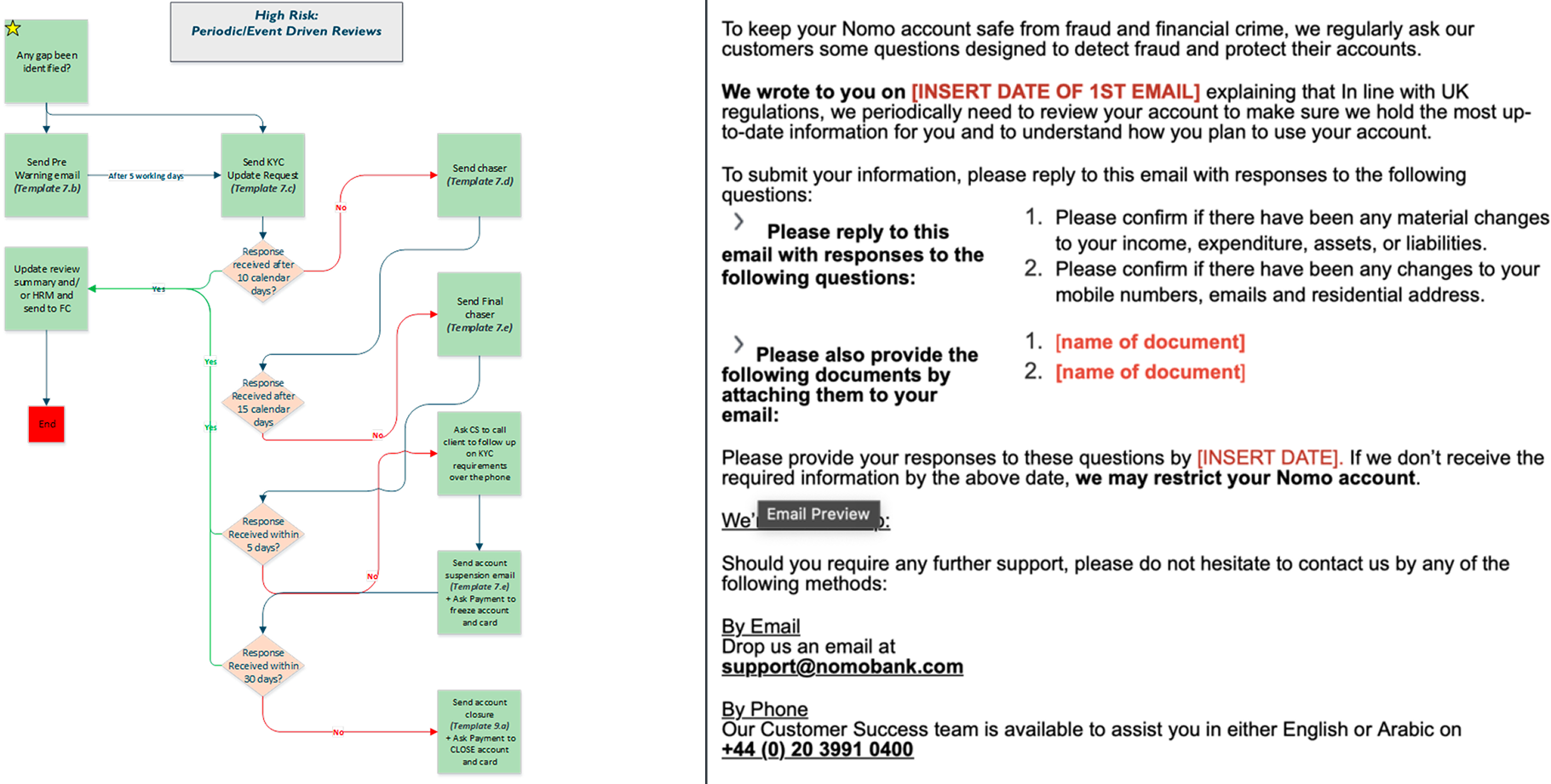
Nomo's manual way of email communication for periodic review process
Nomo manual periodic review process
BUSINESS LOGIC

Starting point: tackling the complex business logic

The business logic for this project is highly complex due to the existence of two distinct task flows for different user cohorts. Additionally, 20k users have missing information, and their risk levels dynamically change based on their inputs, further complicating the review process.

My approach to tackling the complexity:
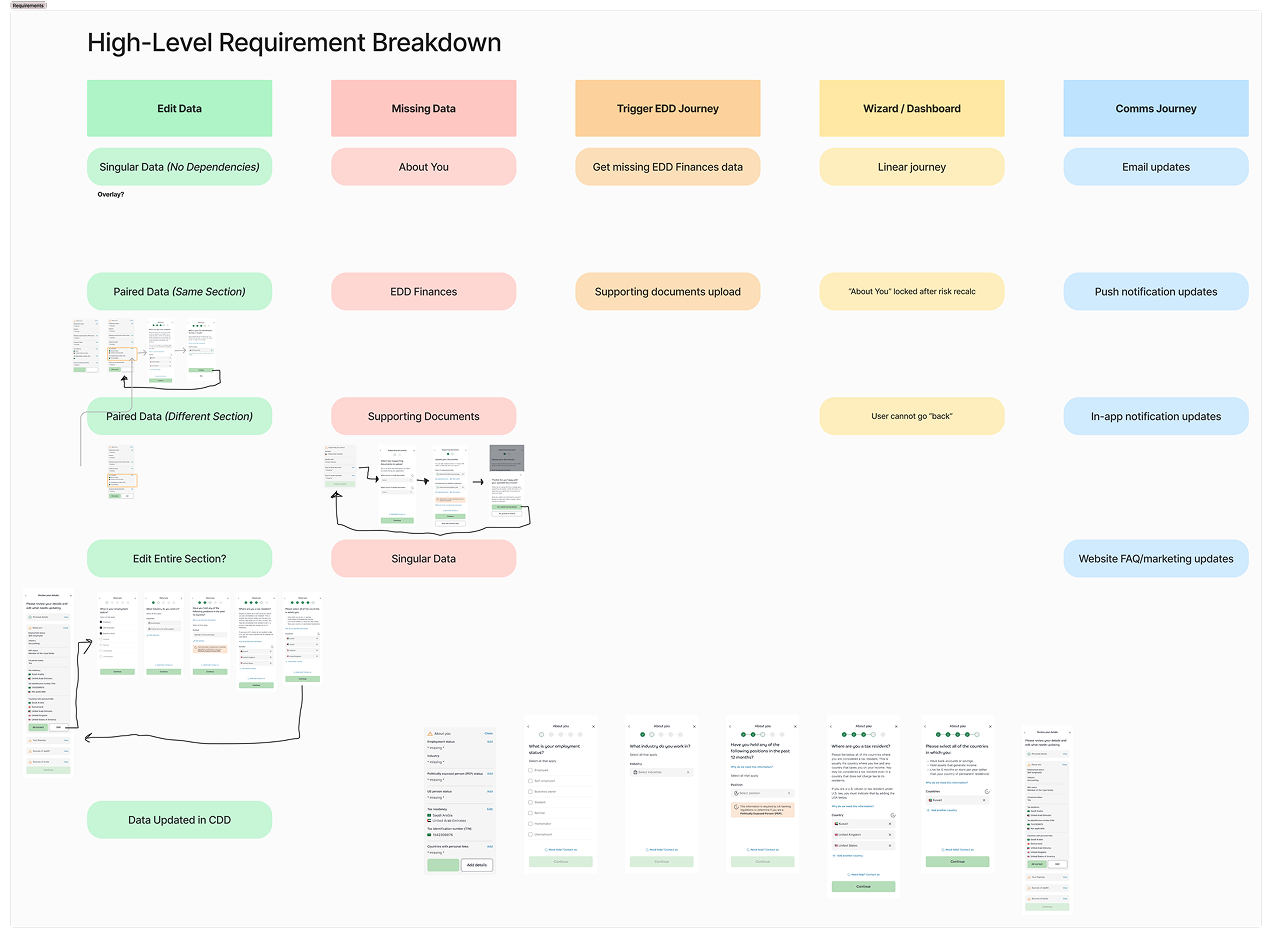
  1. ‍Visualize the logic by breaking down the high-level decision flow into a structured chart. This helped identify key dependencies, edge cases, and process bottlenecks.
  2. I collaborated closely with the Product team and Business Analysts (BAs) to ensure alignment on business requirements and operational feasibility.
High level periodic review requirement breakdown
High level requirement breakdown
VISUALIZATION OF USER FLOWS

From business logic to user flows

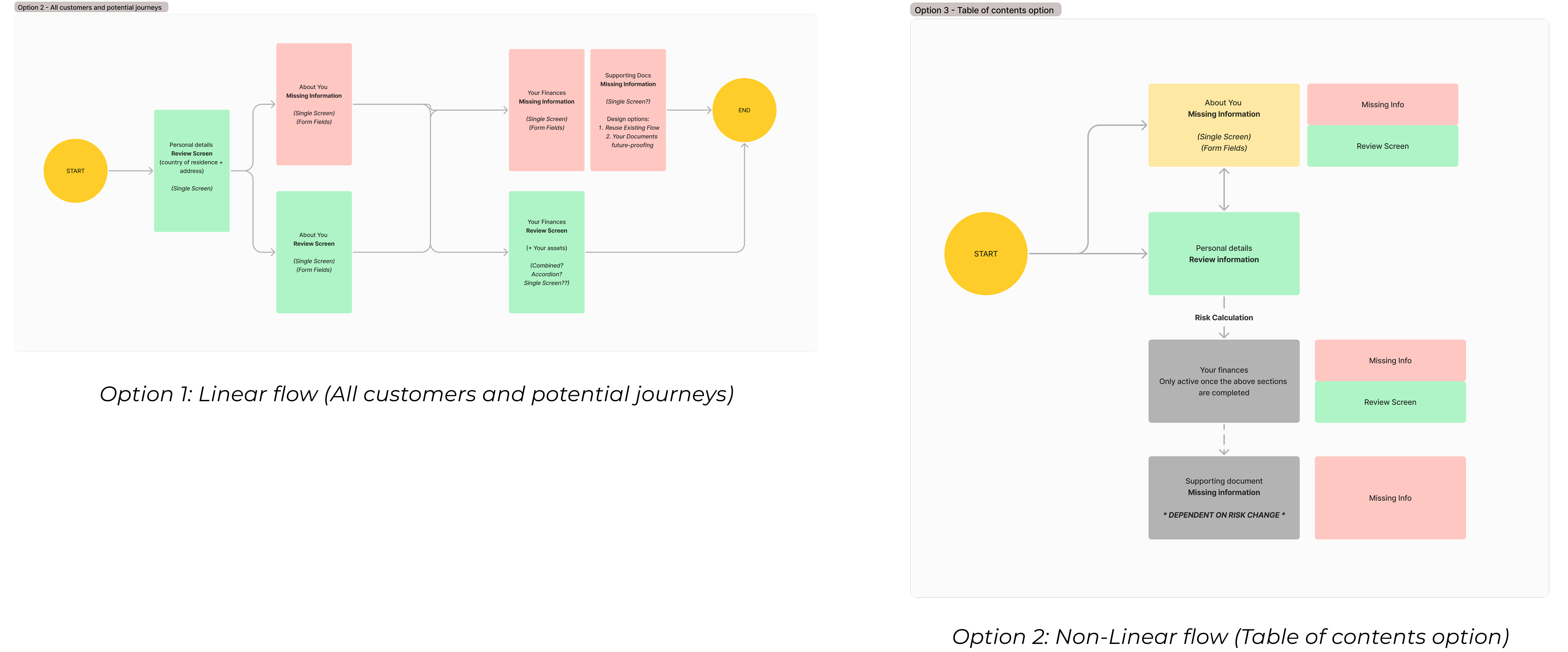
By mapping out the logic and validating it with stakeholders early in the process, I was able to create two variations of universal user flows—linear and non-linear—tailored to the needs of different cohorts.
VISUALIZATION OF USER INTERFACES 

Low-fi explorations for early feasibility check

I rapidly translated the user flows into low-fidelity prototypes, creating a tangible representation of the proposed solutions. These prototypes served as a visual foundation to spark discussions around technical feasibility, enabling early collaboration with the development team.

Two options for UT(user testing platform) testing:
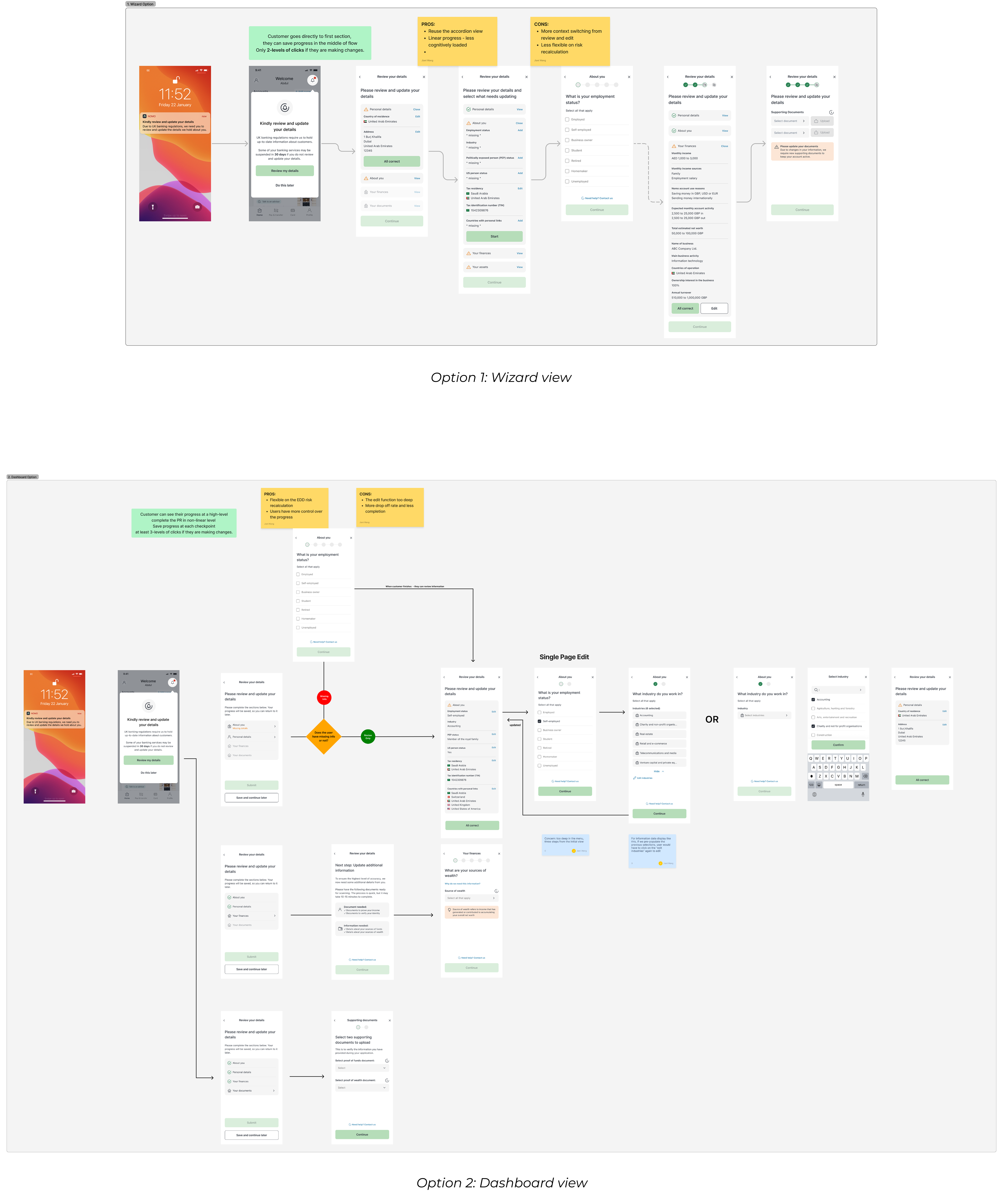
  • ‍Wizard view: Customers go directly to first section of review, they can save progress in the middle of flow.‍
  • Dashboard view: Customers see a high-level overview of their progress, allowing them to complete the periodic review in a non-linear fashion. Progress is saved at each checkpoint.
There are two options for user testing, option 1 is wizard view, option 2 is dashboard view
TESTING OF USER FLOWS

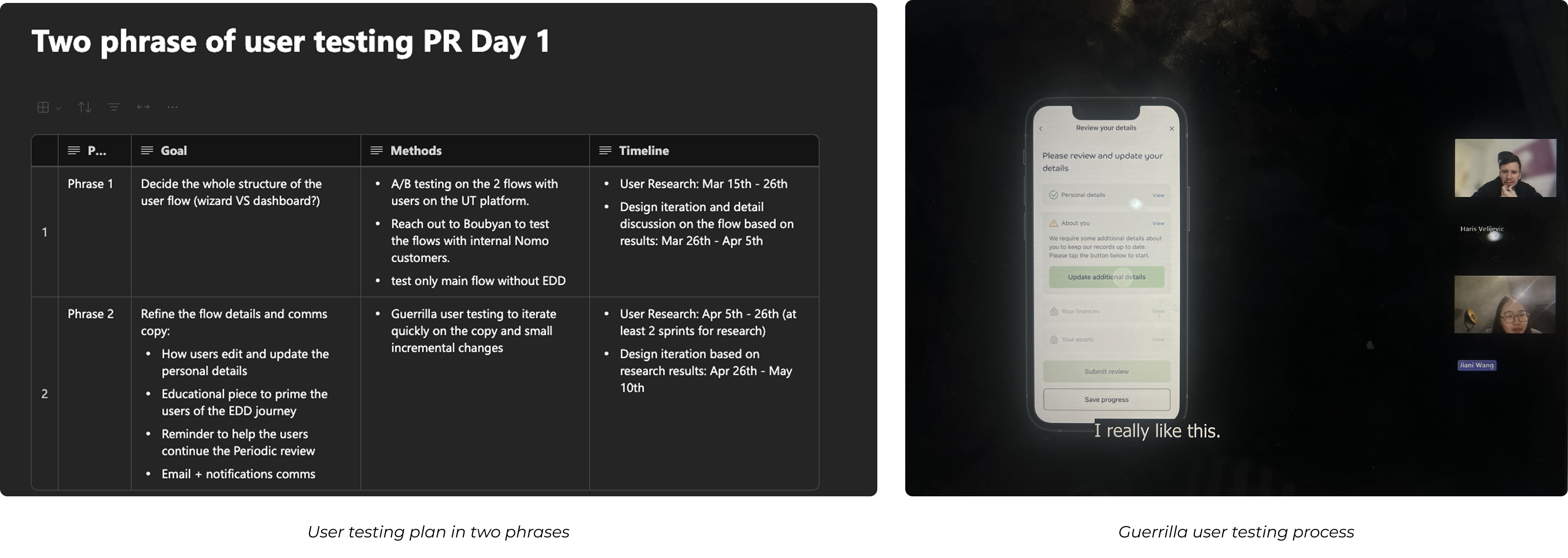
4 Guerrilla user testings through small incremental changes

To test the long journey of periodic review and make the testing experience more reasonable for participants, I break the epic into smaller pieces and only testing the more risky part in the experience:
  1. Add missing information: Accordion view (+add) OR direct update?
  2. Users drop off and continue: Back to the home screen with chips OR notification with bell?
  3. Expose to EDD journey: educational screen variations
  4. Communication channel testing: if users aware of the urgency of periodic review from email & notifications
There are two phases for the user testing, and images for guerilla user testing process
FINAL DESIGN 

System design based on user feedback

The final design is a system of user interfaces which represents a universal user flows catering to the needs of two cohorts and the possibility of elevating to the EDD journey.

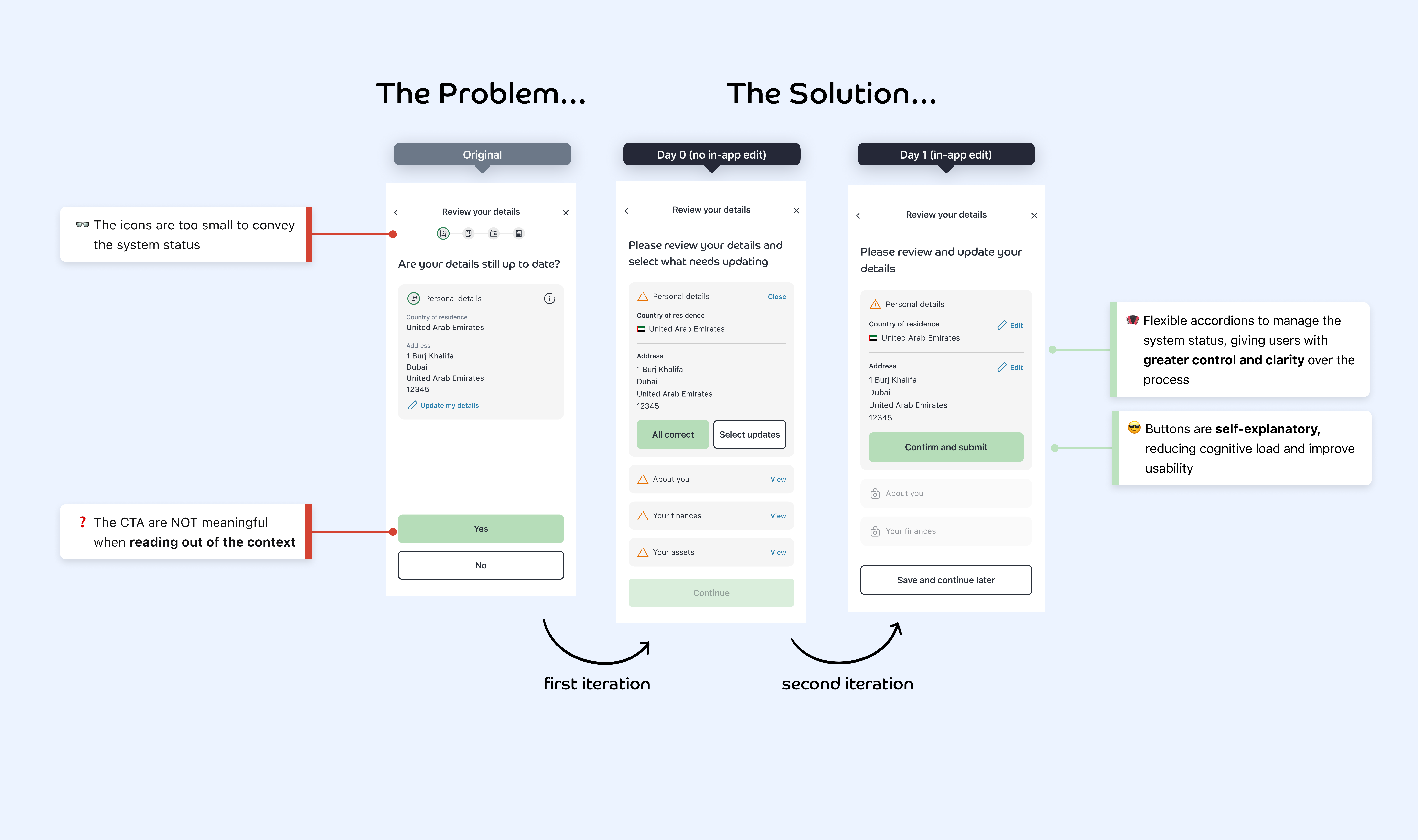
  • Day 0 solution: Replace the progress bar with expandable accordions; Users have to send emails to update their details due to tech constraints
  • Day 1 Solution: Users can directly update information in Nomo App, and send feedback